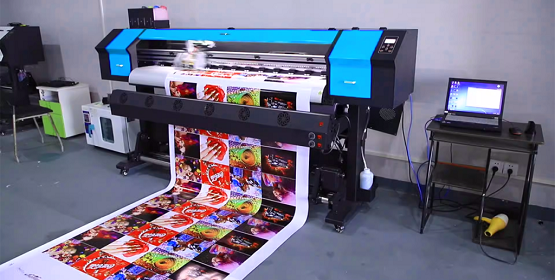
General Printing Terms
Bleed: The area of an image that extends beyond the trim edge of the paper, ensuring no white borders appear after cutting.
CMYK: The standard color model used in printing, consisting of Cyan, Magenta, Yellow, and Black inks.
Coated Paper: Paper with a surface coating (often clay) that provides a smooth, even finish and increased opacity.
Crop Marks: Marks on a printed piece indicating where the paper should be trimmed.
Finishing: Post-press processes like binding, folding, and cutting that give the printed piece its final shape and form.
Imposition: The process of arranging pages on a printing sheet to ensure they are in the correct order after folding.
Resolution: The level of detail in an image, measured in dots per inch (dpi).
Trim Size: The final dimensions of a printed piece after it has been cut.
Finishing Terms
Bindery:The department or area in a printing company where binding and finishing processes are performed.
Case Bind: A method of binding a book with a hard cover, also known as hardback binding
Perfect Bind: A method of binding where the edges of the pages are glued together to create a flat spine
Saddle-stitch: A method of binding where pages are folded and stapled through the spine.
Printing Process Terms
Digital Printing: A method of printing directly from a digital file, often used for short runs and variable data printing.
Offset Printing: A printing method that uses plates and a rubber blanket to transfer ink to the paper.
Lithography: A printing process based on the principle that oil and water do not mix, often used for high-quality printing.
Spot Color: Using specific pre-mixed inks (like Pantone colors) to create vibrant and accurate colors.
Pantone: A standardized color matching system used to specify and reproduce colors consistently.
Paper & Material Terms
GSM (Grams per Square Meter): A measurement of paper weight.
Grain Direction: The direction in which the paper fibers are aligned, which can affect how the paper folds and bends.
Caliper: The thickness of paper, measured in thousandths of an inch.
Other Important Terms
PDF (Portable Document Format): A file format that preserves the formatting of a document, making it ideal for printing.
Pre-press: The stage in the printing process before the actual printing, including tasks like file preparation and proofing.
Digital printing has revolutionized how industries operate. From fashion to packaging, the impact is profound and far-reaching. In retail, brands utilize digital printing for customized products.
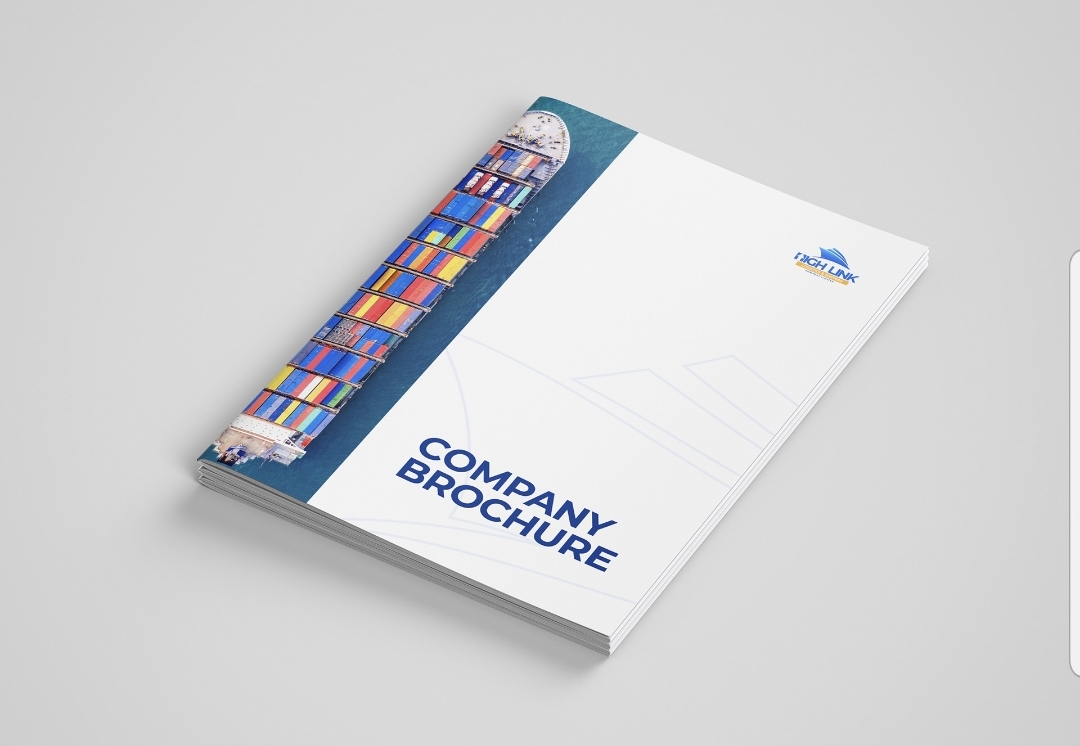
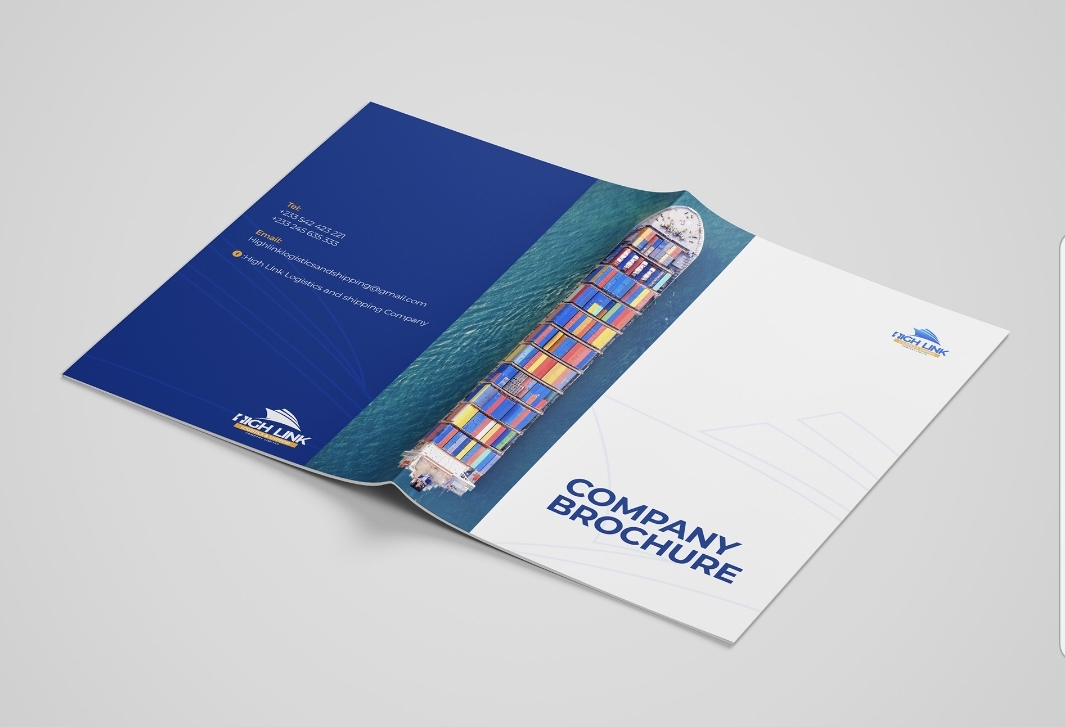
Best Practices for Brochure Printing
1. Clear design and layout: Ensure the design is clear, concise, and visually appealing.
2. High-quality images: Use high-resolution images to maintain quality when printed.
3. Paper selection: Choose paper that suits the brochure's purpose and desired finish.
4. Color accuracy: Ensure colors are accurate and consistent with brand guidelines.
5. Proofreading: Carefully proofread content for errors before printing.
6. Finishing touches: Consider finishes like gloss, matte, or folds for a professional look.
Design considerations:
1. Visual hierarchy: Organize content to guide the reader's attention.
2. Brand consistency: Align design with the company's brand identity.
3. Clear messaging: Ensure the brochure clearly communicates the intended message.
4. Readability: Use fonts and sizes that are easy to read.
Printing considerations:
1. Print method: Choose between digital or offset printing based on quantity and budget.
2. Color mode: Ensure design files are in the correct color mode (CMYK for print).
3. Bleed and margins: Account for bleed areas and margins in design.
Distribution and use:
1. Targeted distribution: Distribute brochures to relevant audiences or locations.
2. Event usage: Use brochures at events, trade shows, or in-store displays.
3. Follow-up: Consider follow-up actions like email campaigns or calls.
Tips for effective brochures:
1. Focus on benefits: Highlight benefits of products or services.
2. Include a call-to-action: Encourage readers to take a specific action.
3. Use compelling visuals: Images and graphics should support the message.
4. Keep it concise: Balance content with white space for readability.
By following these best practices, brochures can effectively communicate information and promote a company's brand.
Impact of Graphic Design in Branding
1. Visual identity creation: Graphic design helps create a brand's visual identity, including logos, color schemes, and typography.
2. Brand recognition: Consistent graphic design elements enhance brand recognition and memorability.
3. Emotional connection: Design can evoke emotions and create connections with the target audience.
4. Professionalism and credibility: High-quality design conveys professionalism and credibility.
5. Differentiation: Unique design elements help differentiate a brand from competitors.
Key aspects of graphic design in branding:
1. Logo design: A logo is a critical element of a brand's visual identity.
2. Color palette: Colors evoke emotions and contribute to brand recognition.
3. Typography: Fonts and typography convey the brand's personality and tone.
4. Imagery and icons: Consistent use of imagery and icons reinforces brand identity.
Benefits of effective graphic design in branding:
1. Consistency across touchpoints: Consistent design builds a cohesive brand experience.
2. Increased brand loyalty: Strong visual identity can foster loyalty and trust.
3. Enhanced communication: Design helps communicate the brand's message and values.
4. Memorable brand experience: Effective design creates a lasting impression.